
HOWTO: Manually Enter Subscription Information
Manual Entry Instructions
If the automated authentication tool does not work for you during setup, you can enter your subscription information manually. To do this, go to your InnerSpace installation directory, then proceed to the "x64/Extensions" subdirectory. Once there, create or open ISXEVE.xml for editing. If it already exists, it may have a few more entries in it; however, it should basically look like this:
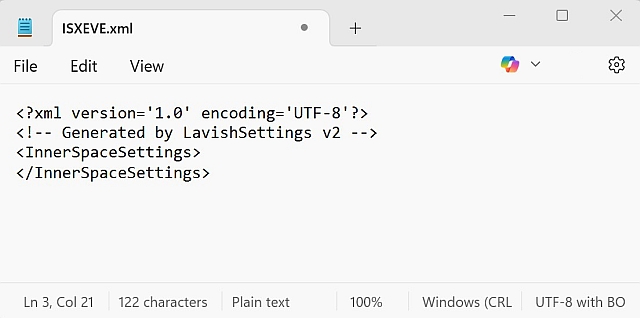
All you need to do is enter two lines that indicate your isxGames subscription information. In the screenshot below, I've used "Amadeus" as my Login, and "flashlight" as my password.
Now, just edit this data to match your information and then paste it into the xml file in the manner shown below:
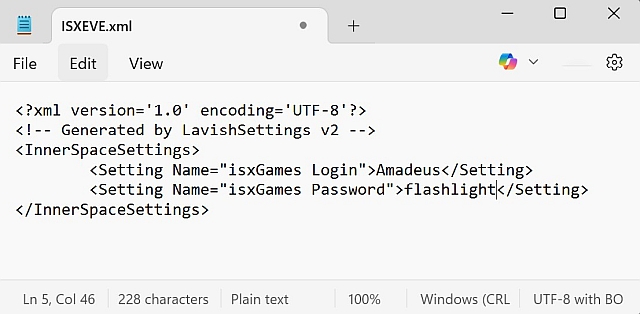
Once your ISXEVE.xml file has those two lines in it. Close the file (and choose to save it, of course), and then reload isxeve. That's it!